
Download MyInternetTV – Streaming Channels, Global TV, Free Access
Overview
MyInternetTV is a mobile application designed to deliver a broad selection of television channels from various countries directly to users’ smartphones and tablets. Its primary purpose is to eliminate the need for traditional satellite or cable subscriptions by offering online access to live broadcasts through a digital platform. The app caters to viewers seeking diverse content, including international news, sports events, entertainment shows, and cultural programming, making it ideal for expatriates, language learners, and global media enthusiasts.
By providing access to hundreds of channels across multiple regions, MyInternetTV addresses the growing demand for flexible, on-demand entertainment. It empowers users to explore different cultures and media landscapes without geographic or technical barriers. The app is particularly beneficial for individuals who want to stay connected with their home country’s broadcasts or discover new content from around the world.
The developer did not provide additional technical details about the company or its background. However, the app has been available since 2007, indicating a long-standing presence in the digital streaming space. Despite its age, the application continues to serve a niche audience seeking free, accessible television alternatives. Its relevance in the current app ecosystem lies in its simplicity and focus on direct channel access, offering a lightweight solution for users who prioritize content variety over advanced features.
Key Features & Functionality
- Wide Channel Selection: The app offers access to hundreds of global television channels, spanning news, sports, entertainment, and regional programming. This variety allows users to explore content from different countries and regions, enhancing cultural awareness and entertainment options.
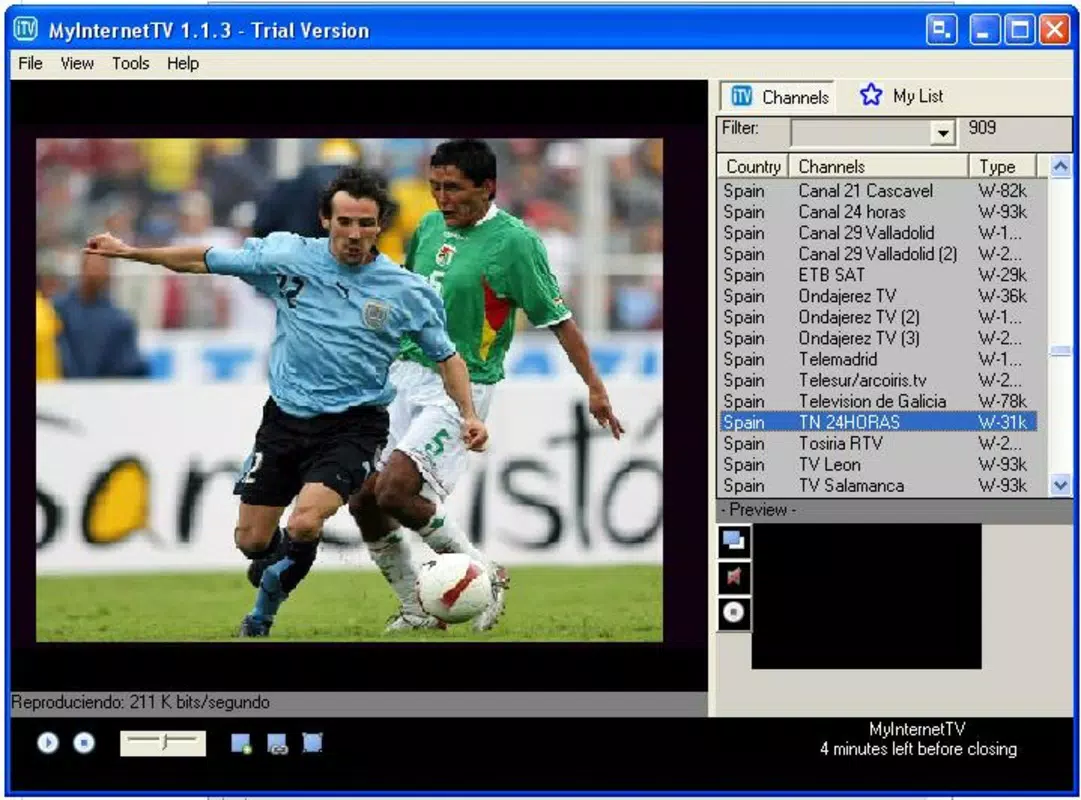
- User-Friendly Interface: Designed for simplicity, the interface enables users to start watching their preferred channels with a single tap. This intuitive layout ensures accessibility for users of all technical skill levels, including those unfamiliar with streaming platforms.
- Customizable Favorites List: Users can save their most-watched or preferred channels in a personalized favorites list. This feature reduces navigation time and improves the overall viewing experience by providing instant access to regularly watched content.
- Quality Streaming: MyInternetTV delivers acceptable audio and video quality, with well-synchronized playback. While specific resolution details were not provided, the streaming performance is generally reliable for standard viewing conditions.
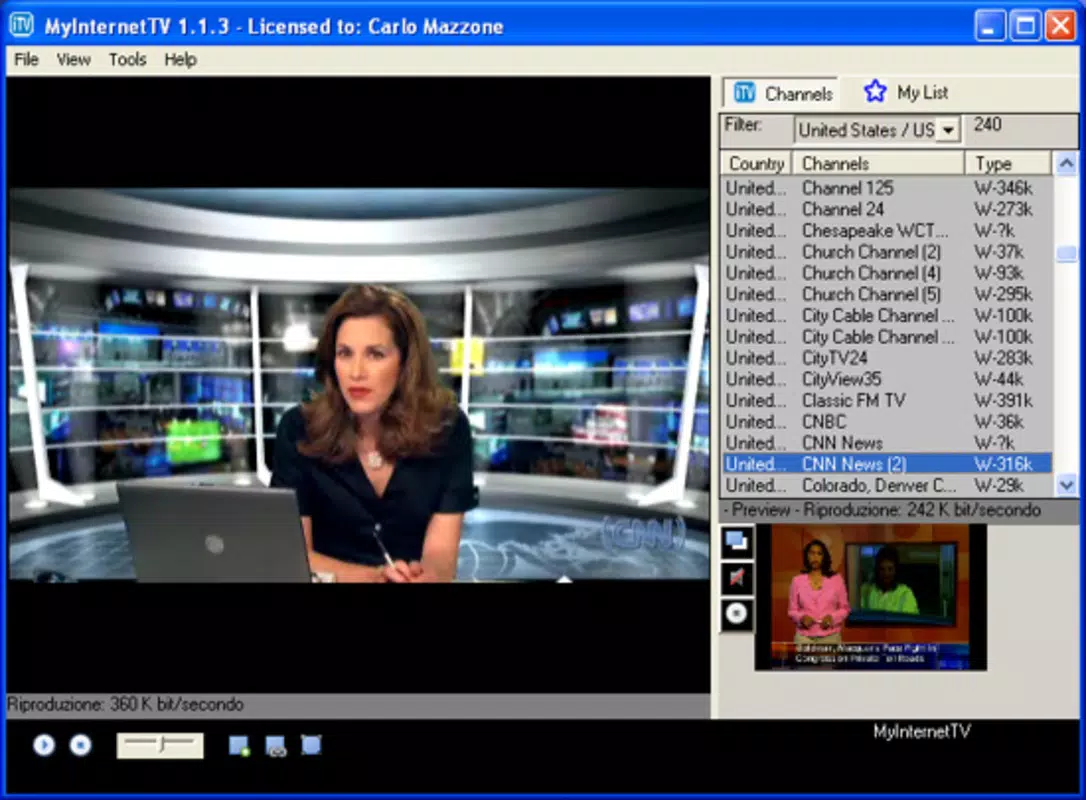
- Easy Search Functionality: The app includes multiple search tools to help users locate specific channels or content. Whether browsing by genre, region, or title, the search function streamlines discovery and enhances usability.
For example, a user in the United States could access live news from Japan, watch a football match from Brazil, or tune into a cultural show from Morocco—all from a single application. The ability to switch between channels seamlessly supports both casual viewing and deeper exploration of international media.
Interface, UX & Performance
The interface of MyInternetTV is described as simple and intuitive, focusing on ease of navigation. Users can browse channels through a clean, organized layout that prioritizes visibility and accessibility. The visual style appears minimalistic, with clear icons and labeled sections, reducing cognitive load during use.
Navigation is designed to be straightforward, with minimal steps required to start watching a channel. The app’s responsiveness appears consistent across device types, though the developer did not specify performance benchmarks or device compatibility details. Although the developer did not list formal performance metrics, the app’s long-term availability suggests a stable core operation.
Stability and smoothness of playback are essential for streaming apps, and MyInternetTV appears to maintain a consistent experience under normal conditions. Users can expect minimal lag or buffering based on the app’s design philosophy, though actual performance may vary depending on network conditions and device capabilities. The app does not require extensive permissions, which contributes to a safer user experience.
Platform Compatibility & Technical Requirements
MyInternetTV is available on Android, with a file size of 2.1 MB. The app supports Android OS, though specific version requirements were not listed. The developer did not provide additional technical specifications or compatibility details for other platforms.
Although the app has been in existence since 2007, the latest version and release date are not specified in the provided data. The lightweight size suggests it is optimized for low-resource devices, making it accessible to users with older or entry-level smartphones. However, compatibility with modern Android versions and future updates remains uncertain due to the lack of formal system requirements.
Pros and Cons
Pros
- Access to a wide variety of international television channels
- Simple and intuitive user interface for easy navigation
- Customizable favorites list for quick access to preferred content
- Lightweight file size, suitable for low-end devices
- Free to download and use without subscription fees
Cons
- Specific technical requirements and OS version details were not provided
- No official support information or update frequency disclosed
- Streaming quality may vary depending on internet connection
- Limited information about content sources or licensing
- Compatibility with newer devices or platforms not confirmed
FAQ
Is MyInternetTV free to use?
Yes, the app is available at no cost. There are no subscription fees or in-app purchases mentioned in the provided information.
Can I use MyInternetTV on iOS devices?
The developer did not specify iOS compatibility. The app is confirmed for Android, but availability on other platforms remains unclear.
How do I update MyInternetTV?
Update procedures were not detailed. Users should check their app store for available updates, though the app’s long history suggests periodic maintenance.
Is MyInternetTV safe to install?
Based on the provided information, the app does not require excessive permissions. However, users should download from trusted sources to ensure security.
Does MyInternetTV require a stable internet connection?
Yes, like all streaming applications, consistent internet connectivity is necessary for uninterrupted playback. Performance may vary depending on connection speed and network stability.
Final Thoughts
MyInternetTV stands out as a dedicated tool for users seeking diverse global television content without the need for traditional infrastructure. Its minimalist design, extensive channel selection, and ease of use make it a practical choice for those interested in international media. While it lacks modern polish and detailed technical disclosures, its core functionality remains effective for casual viewers and cultural explorers alike.
For individuals looking to expand their entertainment horizons, stay updated on global events, or enjoy content from their home country abroad, MyInternetTV offers a straightforward, accessible solution. Its lightweight nature and free access further enhance its appeal, especially for users with limited device resources.
Despite its age and limited public documentation, the app continues to fulfill its intended purpose. Download MyInternetTV now to begin exploring the world’s television offerings from the palm of your hand.


